
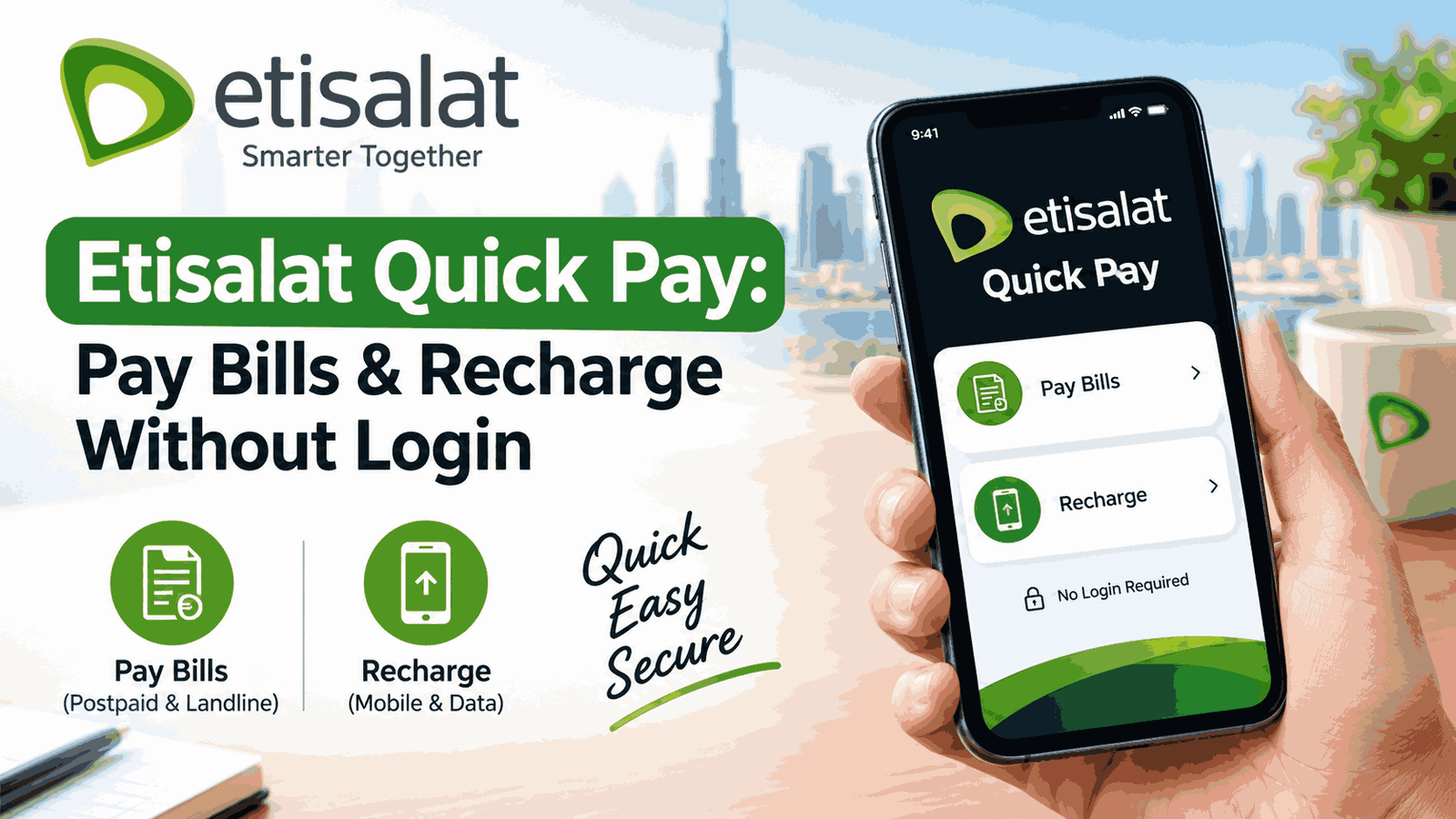
Etisalat Quick Pay: How to Pay Your Bill or Recharge Without Logging In
Your eLife bill reminder lands while you’re in a taxi. You open the app, it wants a password you set up two years ago, and the reset email goes to an address you stopped using. The due date is tomorrow.
That’s the situation Quick Pay exists for.
Short answer: Quick Pay is etisalat UAE’s no-login payment page. Open etisalat.ae/ecare/quick-pay, enter your mobile or eLife number, check the amount and pay by card. The same page handles prepaid recharge. Business accounts have a separate Quick Pay that works with an account number. Below you’ll find the steps, what it covers, what to do when a payment fails, and which lookalike sites to avoid.
Safety note: Scammers love this keyword. Many sites named “quick pay etisalat” are not run by etisalat, and “your line will be disconnected” messages with payment links are a common trick. Type the official address yourself (etisalat.ae or eand.ae) rather than tapping a link in an SMS, WhatsApp message or ad. Never read out a card number, CVV or OTP to someone who calls you. Details here were checked on etisalat’s official pages in October 2026. Offers and rules change, so confirm on etisalat.ae. This is general information on UAEfixes.com, not financial advice.
What is Etisalat Quick Pay, and is it the same as e& Quick Pay?
Etisalat Quick Pay is etisalat UAE’s official page for paying mobile and eLife bills, and recharging prepaid numbers, without logging in. e& is the parent group, and its site describes the same service as “Quickpay & Recharge”. So “Etisalat Quick Pay”, “e& Quick Pay” and “Quickpay & Recharge” all mean the same thing.
About the name: Guides keep saying Etisalat has been replaced by e&. Etisalat’s own consumer and business pages are still headed “etisalat”, and the group site is eand.com. Don’t worry about which name you search with. What matters is the domain: etisalat.ae, eand.ae or eand.com.
There are actually two Quick Pay pages:
- Consumer Quick Pay for personal mobile, eLife and prepaid numbers.
- Business Quick Pay, which etisalat describes as paying business bills online with an account number, without logging in.
How do I pay my etisalat bill with Quick Pay?
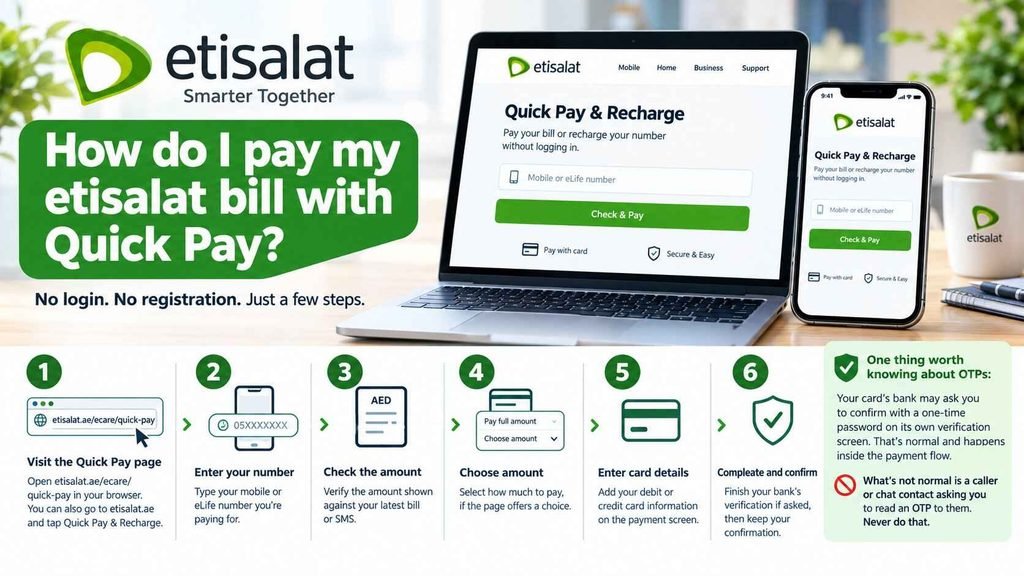
Open the official Quick Pay page (etisalat.ae/ecare/quick-pay), enter your mobile or eLife number, check the amount, and pay with a debit or credit card. No username, password or registration is needed. The whole thing should take a couple of minutes, assuming your card works online.
Steps:
- Type etisalat.ae/ecare/quick-pay into your browser. You can also go to etisalat.ae and tap Quick Pay & Recharge.
- Enter the mobile or eLife number you’re paying for.
- Check the amount shown against your latest bill or SMS.
- Choose how much to pay, if the page offers a choice.
- Enter your card details on the payment screen.
- Complete your bank’s verification if asked, then keep the confirmation.
One thing worth knowing about OTPs: Your card’s bank may ask you to confirm with a one-time password on its own verification screen. That’s normal and happens inside the payment flow. What’s not normal is a caller or chat contact asking you to read an OTP to them. Never do that.
Common mistakes:
- Paying from a link in a message instead of typing the address.
- Entering the wrong digit and paying someone else’s number. Check the number twice before you tap pay.
- Paying a bill late in the day and assuming it will update instantly. Allow some time, and keep the confirmation.
How do I recharge a prepaid number with Quick Pay?
Use the same page. Etisalat’s page says you can recharge any prepaid account from anywhere, without logging in. Enter the prepaid number, choose the amount, and pay by card. The page also promotes cashback credit on online recharges, which was 15% when I checked.
Don’t rely on any bonus number you see in a guide. I found guides quoting 15% and 25%, with different minimum recharge amounts. Offers change. Read the current terms on the Quick Pay page before you recharge, and don’t pay extra expecting a bonus that may have ended.
Some guides also mention a per-recharge limit (one says AED 300). I couldn’t confirm that on etisalat’s pages, so check the amount field when you’re on the page.
What can I pay with Etisalat Quick Pay?
| Service | Quick Pay? | Notes |
|---|---|---|
| Postpaid mobile bill | Yes | Confirmed on etisalat’s official pages |
| eLife (home internet) bill | Yes | Confirmed on etisalat’s official pages |
| Prepaid mobile recharge | Yes | Confirmed on the Quick Pay page |
| Landline bill | Reported | Third-party guides say yes. Confirm on the page |
| TV-only account | Unclear | One guide says not supported. Check with etisalat |
| Business account bill | Separate page | Use Business Quick Pay (account number) |
If your service isn’t accepted, don’t force it. Log in to your account or use the etisalat app instead.
What’s the difference between personal and business Quick Pay?
Personal Quick Pay is for individual mobile, eLife and prepaid numbers. Business Quick Pay is a separate page for company accounts, where you pay using your account number instead of a mobile number. Both skip the login. Business users who manage several accounts are usually better off in the Business Online Portal.
Business Quick Pay: etisalat.ae’s business billing page lists Quick Pay as the first online channel, with the Business Online Portal as the second. The business page shows Visa, Mastercard and American Express as accepted cards.
Other business payment channels listed on etisalat’s official business page:
- Business mobile app
- Smart payment machines (cash, card or cheque, using your Party ID or B2B reference number)
- Your own online banking
- Exchange houses, including Al Ansari, Al Fardan, Index, Joy Alukkas, Lari, LULU, Redha Al Ansari, UAE Exchange and Wall Street
Those machine and exchange options are described on the business page. If you have a personal account, ask etisalat whether the same options apply before you travel to one.
A business-only detail worth knowing: Etisalat says business eBills arrive between the 1st and 4th of each month, from the sender address eStatement@ebill.etisalat.ae. If a “bill” comes from anywhere else, don’t pay it without checking.
Do I need an etisalat account to use Quick Pay?
No. Quick Pay is described by etisalat as a way to pay mobile or eLife bills, and to recharge, without logging in. You don’t need an account, password or app. That’s the entire point.
When logging in is the better choice:
- You want your full bill history or an itemised bill.
- You pay every month and want it automatic. The etisalat app or an Autopay option, where your plan offers it, suits that better than repeating Quick Pay.
- You manage several business accounts.
- Your service isn’t supported by Quick Pay.
What are the other ways to pay an etisalat bill?
Quick Pay isn’t the only route. The etisalat app handles bills, usage and recharge. Smart payment machines accept cash or cards in many locations. Your own bank’s app may offer bill payment. For business accounts, the Business Online Portal covers multi-account payments.
Which to use depends on what you need:
| If you want to… | Use |
|---|---|
| Pay once, fast, without a password | Quick Pay |
| Pay monthly, see usage and history | etisalat app or account login |
| Pay in cash | Smart payment machine or an exchange house (check eligibility) |
| Pay from your bank account | Your bank’s bill-payment feature |
| Pay several business accounts | Business Online Portal |
What if my Quick Pay payment fails or doesn’t show?
First, don’t pay again straight away. Check whether the money left your account, and keep your confirmation SMS or email. If the page failed before you paid, retry once on mobile data or another browser. If you were charged but the bill hasn’t changed, wait a bit, then contact etisalat and your bank.
| Problem | What to do |
|---|---|
| Card declined | Check your online-payment limit and that internet purchases are enabled in your bank app. Try another card |
| Page won’t load or errors out | Try mobile data instead of Wi-Fi, another browser, or later |
| Charged, but bill unchanged | Wait a while, then check your SMS and bank record. If it still hasn’t updated, contact etisalat with your confirmation |
| Paid the wrong number | Contact etisalat support immediately with the confirmation details |
| Bonus credit missing | Check the offer terms on the Quick Pay page, then ask etisalat |
I haven’t listed a support phone number here because I couldn’t verify one on the pages I checked. Use the Help & Support section on etisalat.ae or in the app to reach etisalat, and use your bank’s dispute process for card problems.
Who should NOT use Quick Pay?
- Anyone who got a link by SMS or WhatsApp saying you must pay now. Close it and type the address yourself.
- Anyone on public Wi-Fi (café, airport). Use mobile data for card payments.
- Large business customers with many accounts. The Business Online Portal is built for that.
- Anyone who needs a full bill breakdown. Log in instead.
- Anyone whose service isn’t supported, such as a TV-only account in some cases.
Quick Pay myths vs facts
| Myth | Fact |
|---|---|
| “e& Quick Pay and Etisalat Quick Pay are different services” | Same service, shown under group and brand names |
| “Any site with ‘quick pay etisalat’ in the name is official” | Official pages sit on etisalat.ae, eand.ae or eand.com. Lookalikes copy the name |
| “Quick Pay always gives a 15% bonus” | Offers change and guides disagree. Read the page’s current terms |
| “No login means no security” | You still pay through a card screen with your bank’s verification. The risk is the site you’re on, not the missing password |
| “Personal and business Quick Pay are one page” | They’re separate pages with different inputs |
People Also Ask
What is Etisalat Quick Pay?
It’s etisalat UAE’s official no-login page for paying mobile and eLife bills and recharging prepaid numbers. Etisalat’s group site calls it “Quickpay & Recharge”.
Do I need to log in to use Etisalat Quick Pay?
No. Etisalat describes it as paying mobile or eLife bills and recharging without logging in. You don’t need an account or password.
What’s the official Etisalat Quick Pay link?
For personal numbers, etisalat.ae/ecare/quick-pay. Business Quick Pay is on eand.ae. Type the address yourself rather than tapping a link from a message.
Can I recharge a prepaid number with Quick Pay?
Yes. The Quick Pay page covers recharges for any prepaid account. Check its current cashback terms before you pay.
Is e& Quick Pay the same as Etisalat Quick Pay?
Yes. e& is the parent group. The same service appears under both names.
Can I pay my eLife bill with Quick Pay?
Yes. Etisalat’s pages list eLife bills among what you can pay without logging in.
Can I pay a business bill with Quick Pay?
Yes, through Business Quick Pay, using your account number. It’s a separate page from the personal one.
Which cards does Quick Pay accept?
Etisalat’s business billing page shows Visa, Mastercard and American Express. Check the consumer page for current options.
Can I pay someone else’s bill with Quick Pay?
Some guides say yes by entering their number. I couldn’t confirm this on etisalat’s pages. If you try it, double-check the number first.
Why did my Quick Pay payment fail?
Usually a card limit, disabled online payments, or a network or page error. Check your bank app, try mobile data, and keep your confirmation before retrying.
Is Etisalat Quick Pay safe?
The official page is. The danger is fake sites and messages that copy it. Type etisalat.ae yourself and never share OTPs or card details with callers.